FAQ on Using Money SMS
Have a question? Find an answer below!
General issues
How can I be sure that this is not a scam?
Our app has a 4.7/5 rating on Trustpilot, reflecting the positive experiences of our users. Many also willingly share their feedback and reviews on Reddit and YouTube, offering valuable insights. The app is currently available as an APK download due to Google Play restrictions on SMS sending apps.
Why do you pay the users for receiving SMS?
The reason is that a lot of Telecom SMS providers and Mobile Network Operators need to send SMS test messages to foreign countries to verify and ensure proper delivery of their SMS routes. You actually get paid because we use your phone number to provide such testing services.
Can you read my private messages?
No, we are not forwarding any information from your private messages to our servers. Only the messages which include our unique ID (that our system creates) will be sent to our server. For more information, please read our Privacy Policy.
What kind of SMS will I receive? Should I do something with them?
You will be receiving/sending test SMS beginning/containing/ending with random letters/numbers like “zokzggdnbqv” / “5829″ / “UsQmnabE21” etc. Apart from those, they can contain anything, including links which we urge you not to access.
Rest assured as your phone number is not being used for anything other than sending/receiving TEST SMS.
Kindly make sure to ignore all of the test SMS and please do not reply to any of them. We send SMS only in order to check whether they have been delivered to/from your phone and, if so, in what form.
Our test messages get automatically forwarded to our servers after you receive/send them. Once your balance has been updated, please feel free to delete them.
How to get started with Money SMS?
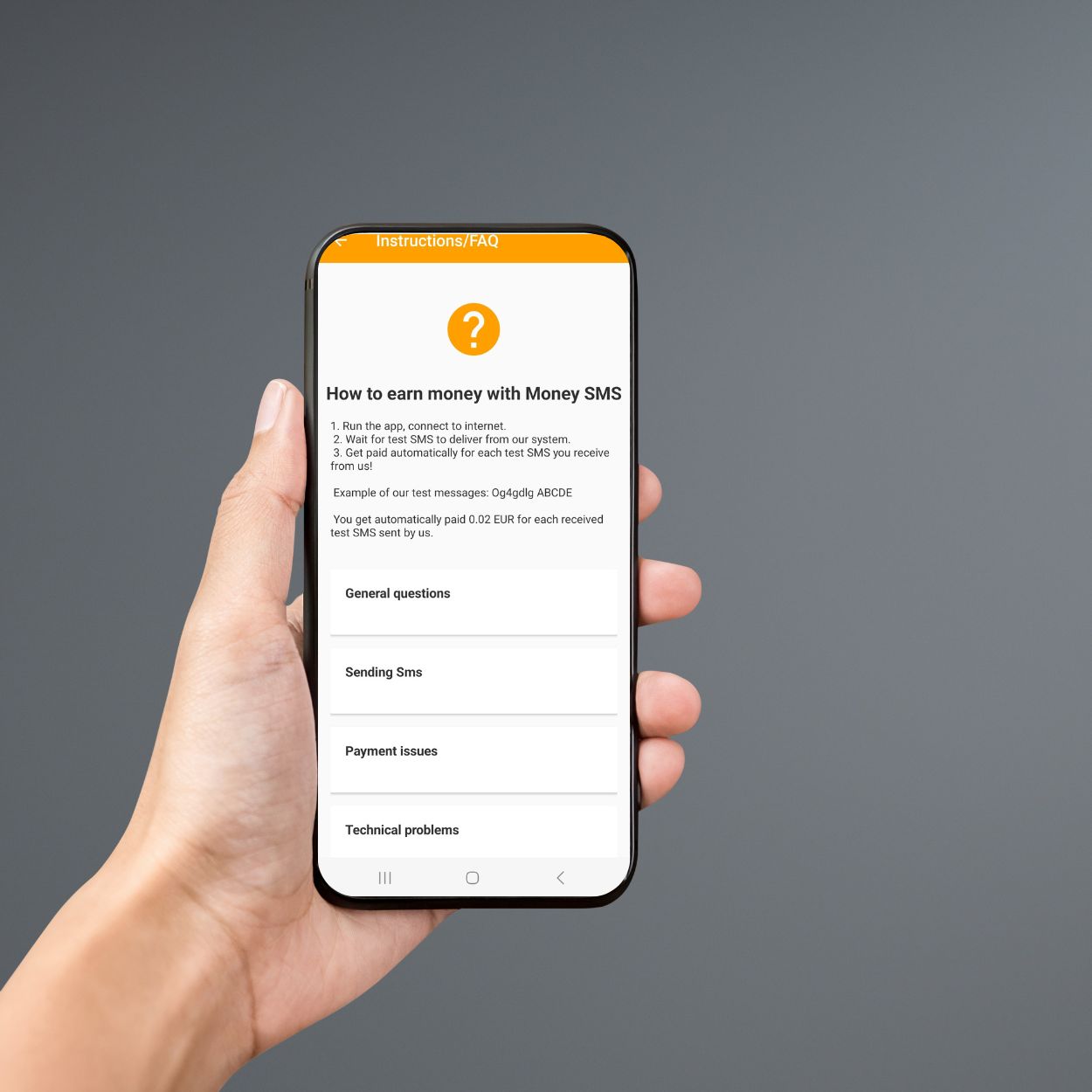
1. Run the app, connect to the internet
2. Wait for a test SMS to be delivered from our system
3. Get paid automatically for each test SMS you receive from us!
Example of our test messages: Og4gdlg ABCDE
You get automatically paid from €0.01 to €0.03 for each received test SMS sent by us.
How much money do I make and how?
Make sure you are active and online all the time, if possible. Additionally, the Wi-Fi calling option needs to be disabled on every Android device. If our system does not register you being online at the time of the issued/received SMS, you will not be rewarded for it.
You will be paid for each sent/received SMS message from/on your device.
- Received SMS = from 0.01 to 0.03 EUR.
- Sent SMS = 0.15 EUR.
- Voice Testing = 0.02 EUR.
New users also get €0.25 sign-up bonus + an extra €0.25 referral bonus (total €0.50) when they register with someone’s referral code.
How can I increase the amount of tests sent to my phone number?
Your main goal is to keep the app always running – our system will see that your phone is available and you will have a greater chance of receiving test messages:
- Keep the app running constantly and have a stable Internet connection
- Android OS sometimes automatically closes some apps, so you need to make sure that our app keeps running in the background
- Register with a new number – the number of messages sent to your number will generally decrease over time, as our algorithm prioritizes newer users with the lowest amount of received messages
- Make sure that the Wi-Fi calling option on your Android device is disabled
I never received any SMS from Money SMS. What to do?
If you haven’t received any messages after you installed our app:
1. Make sure that you are logged in and that the Money SMS app is running in the background.
2. The symbol of Money SMS in the notifications section shows that the app has “ok” status.
3. Make sure that the SIM card is inserted into the same device where the Money SMS app is running.
4. Make sure that the number you entered during the registration is correct and operational.
5. Ensure that the app version you have is the latest one – Download APK
6. Ensure that your Android device has the Wi-Fi calling option turned OFF.
I stopped getting any messages
If you stopped receiving messages from us, please check the points below:
1. You have the newest app version – check in the app Settings page – Account information and if needed, update the app; log out, then log back in
2. You are logged in and online most of the time, the app is running in the background at all times
3. The app is installed on the same phone where you have your SIM with the registered number
4. Make sure that Wi-Fi calling option is turned OFF on your Android device.
If none of the above helps resolve your issue, please note that to ensure the quality of our service, we prioritize sending messages to our users based on two main criteria:
I receive SMS but my balance doesn't change
There are several reasons why your balance might not be increasing even though you are receiving SMS from us:
- Money SMS is not running in the background when the SMS is received
- You have no internet connection within 1h after the SMS is received
- Money SMS is running on a different device than where the SMS is being received
- The SMS you received was not sent by our app
I want to change my number
Please note that we are no longer able to change phone numbers. If you have a new number, please create a new account. Once your new account is set up, we can transfer your balance from the old account.
Additionally, please remember that each phone number registered counts as a separate account, and each account must have a unique email address.
Registration unavailable
If you are seeing the ‘Registration unavailable’ error when trying to register, this means that the app is not available for new users in your network at the moment.
I didn’t find my country during registration. What should I do?
If you didn’t find your country during registration it means that Money SMS isn’t available in your country at the moment.
I want to delete my account. What should I do?
If you want to delete your account, please go to the settings in the app and choose “Delete account”.
Please note that you won’t be available to register with the same phone number again.
Register again after the account was deleted
If you are trying to register again with a number that was already registered and then deleted, please note that it is not possible.
To use our app, kindly try to register with another number.
Payment issues
What payment methods do you support?
Currently, we support the following payment systems: PayPal, LiteCoin, and BitCoin.
Please note that we cannot transfer the money to your mobile phone, credit card, or bank account due to high transaction fees. Please note that we are not planning to add any other payment options in the future. Thank you for not sending us emails requesting other payment methods to be added.
What is the minimum payment amount?
The minimum payment amount to withdraw is €2. This is because of the charges we pay for the transfer.
My payment status is “Failed”
This means that we attempted to send the money to your payment address and it has failed. If you are using PayPal, please check whether receiving money is supported in your country, you can find the list here.
If possible, please use an alternative payment address and make another withdrawal request.
I haven’t received the money, although the payment status shows “Paid”
Please check and make sure that:
1. You’ve entered your payment address correctly
2. In the case of using PayPal, you might have to accept the payment to receive it. In order to do that, please go to the “Activity” section, find our payment, and click “Accept”
3. In the case of using Bitcoin, some wallet providers do not support small amount payments – please check with your provider if this is not the reason why you aren’t seeing the money on your account
Why am I being asked to accept or refuse a payment I received? (for PayPal wallets)
If you see in your PayPal wallet an unnclaimed payment from Money SMS, please ‘Accept’ it and choose one of 3 options:
1. Accept the payment and convert it to your primary balance currency (we send money in euro)
2. Accept the payment and open a secondary balance in euro.
3. Deny the payment and return it to the sender. Once one payment is accepted, all future payments will automatically be accepted.
What does it mean “Payment sent” status in my withdraw?
The status “Payment sent” for your withdrawal means that the money has been sent to your wallet. Please check it in your payment system.
If you have a PayPal wallet, you may need to “Accept” the payment from MoneySMS (find the instructions under ‘I am being asked to accept or refuse a payment I received (PayPal)’.
When will I receive my payment?
We aim to pay you within 48 hours after you submitted the withdrawal request.
PayPal – in general, you will receive the payment almost instantly with this payment method.
LiteCoin, Bitcoin – sometimes, in case of technical issues or due to the high fees per transaction (Bitcoin), these payments can be delayed and extended over 48 hours.
Referral program
What is Money SMS referral program?
The Money SMS referral program helps you and your friends earn more money through the app. You can get your referral code from the app and ask your friends to use it during registration.
Everyone who uses your referral code will receive €0.50 as a welcome bonus (€0.25 sign-up bonus + €0.25 referral bonus). On the other hand, you will also receive a bonus – 30% of the withdrawals of your friends will be added to your balance.
How can I get my referral code?
You can find your referral code by logging in to our app, going to Settings, and selecting the Referral program.
How much do I earn with the referral program?
Please note that our referral program rewards you with 30% of the withdrawals of your friends for a lifetime.
This means that you will earn 30% only when your friends make the first withdrawal and this does not happen immediately upon registration. Your balance will automatically increase when we make payments to your referrals.
I forgot to use referral code during registration. Can you add it to my account?
Unfortunately, it is not possible to add the referral code once you have already registered.
Apologies for the inconvenience. We recommend, if possible, creation of another account for this purpose.
SMS sending
Do I need to have credit in my phone to be able to use SMS Sending?
You need to have enough balance for an SMS to be sent. You will be charged as per your network provider’s rate for an SMS. We recommend you review your tariff before you enable the SMS Sending feature to consider using a postpaid phone plan if possible.
Who will receive the SMS sent from my phone number and will it be visible to the recipient
Your phone number will be used to test SMS delivery to the mobile networks in your country. Your number will be visible as the sending number to the recipient of the SMS.
How to enable SMS Sending option?
You can enable the SMS Sending feature on the main screen of the app, clicking on “How about earning some more?”
Alternatively, you can go to the Settings tab, select SMS Sending and enable sending SMS with the toggle on the top right.
Do I have to send the SMS myself?
Once the SMS Sending feature is enabled in the app, you don’t need to take any further action. The SMS will be sent automatically by the app, whenever there is a request for such an SMS on our side.
How much can I expect to earn via SMS Sending feature?
The maximum amount of test SMS per month that we will send using your phone number is 50. You will be rewarded €0.15 for each. We recommend you stay online at all times to be able to have more SMS sent from your phone and earn consistently.
What kind of content will be sent from my phone via SMS Sending feature?
The sent SMS can have any content, including links. Please note that we will be strictly monitoring the sent SMS to avoid any harmful or illegal content from being sent. We automatically check whether the SMS was successfully sent from your phone and delivered to the receiver’s phone. You can ignore all the sent SMS.
Call testing
What is call testing?
Call testing allows reputable telecom companies to check the performance of their calls. By letting the Money SMS app make silent test calls to your device, you help improve their services and earn extra money with no effort.
Note: If the toggle switch is inactive, make sure you have the Money SMS app set as the default SPAM app in the settings. After that, you’ll be able to use call testing.
How are test calls silent?
Test calls are silent because they don’t appear as regular calls on your device. The app automatically detects and logs these calls in the background without notifying or disturbing you.
Is my privacy protected?
Absolutely! The app does not access your personal calls or interact with calls from your contacts. It only handles expected test calls and doesn’t interfere with unknown numbers either.
Will it cost me anything?
No, there are no costs for participating in call testing. All test calls are automatically declined, ensuring you won’t incur any charges.
How much can I earn?
You’ll earn €0.02 for each test call received and logged in the app. Payments are tracked transparently in the “Overview > Calls” section of the app.
Still Have Questions?
Let’s solve them together! Our support team is just a click away.
2015-2026 © All rights reserved.